
Features
All the functions you need to work on files
Search faster
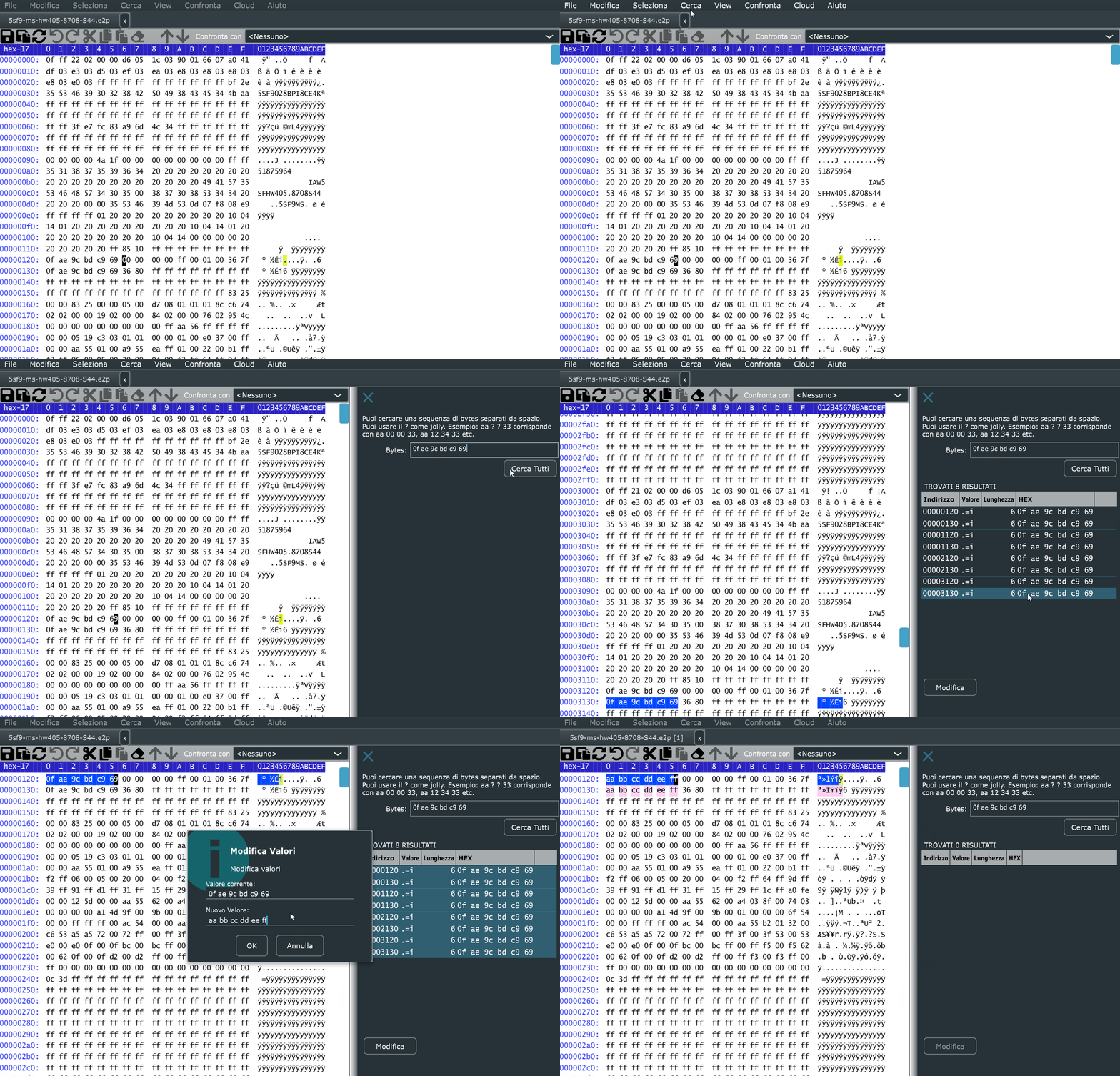
Byte Search
With Hex 17 you can quickly search byte sequences
- Wildcard bytes
- By inserting the ? character you can match any byte in the middle of the sequence
- List with all results
- Immediate display of all sequences that match the search with addresses, clicking on a result takes us to the position in the file.
- Direct and selective editing of found valuesPro
- By selecting one or more found entries it is possible to directly modify the sequence
Multi-file compare
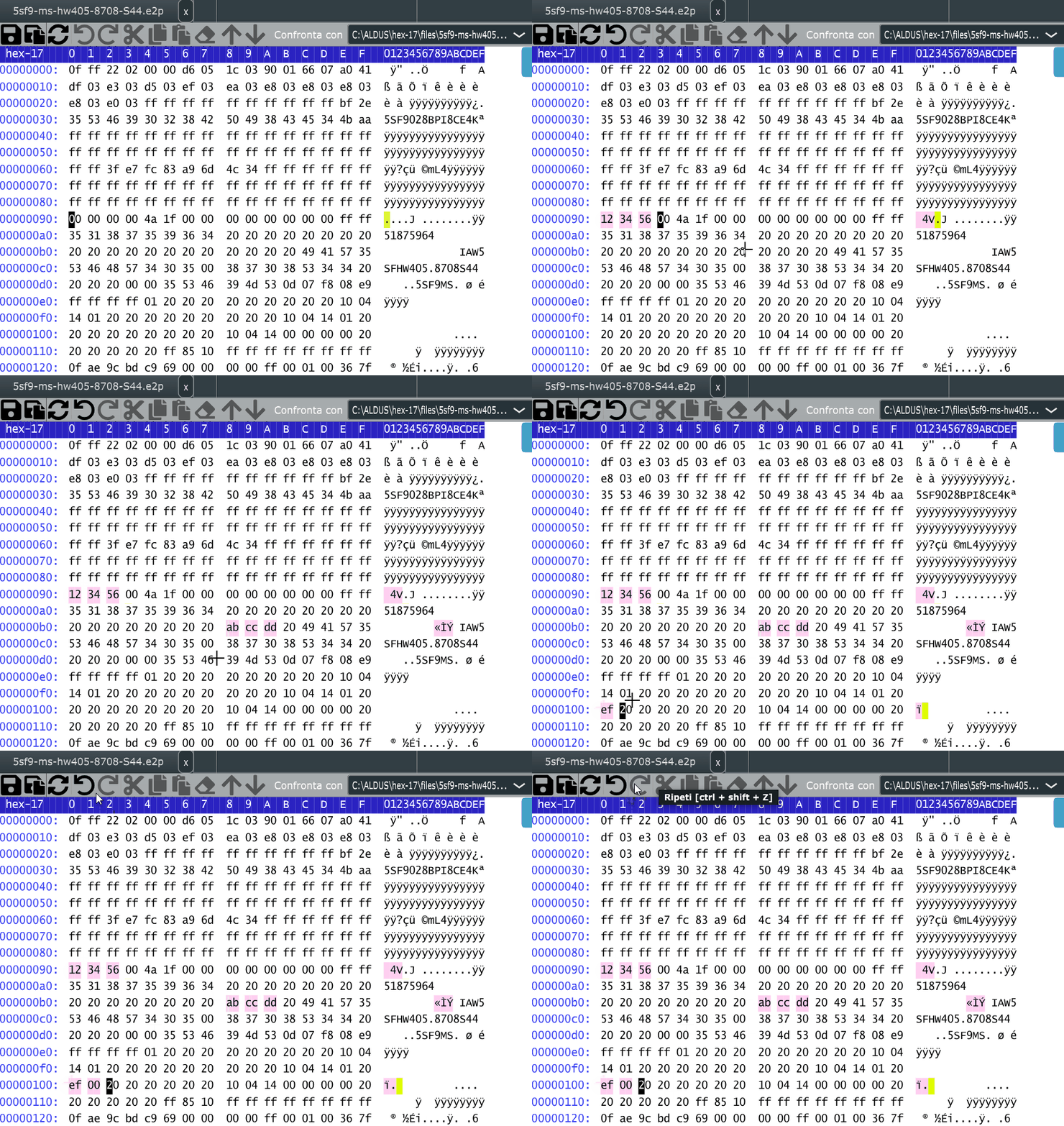
Compare up to 10 files
Put files side by side and see at once what changes: the same colour means the same value. Hex 17 Free compares 2 files, Hex 17 Pro up to 10.
- Up to 10 files side by sidePro
- Open up to 10 files in the same view and scroll them together.
- Same colour, same value
- The same colour means the same value in every file, so the differences stand out.
- Copy to filePro
- Copy the selection into another file of the compare, at the matching position.
- Apply changesPro
- Carry the changes you see between two files onto a third, without touching its own data (VIN, mileage).
Infinite
Undo/Redo
Undo or redo infinite times to go back to any modification on files
Universal editor
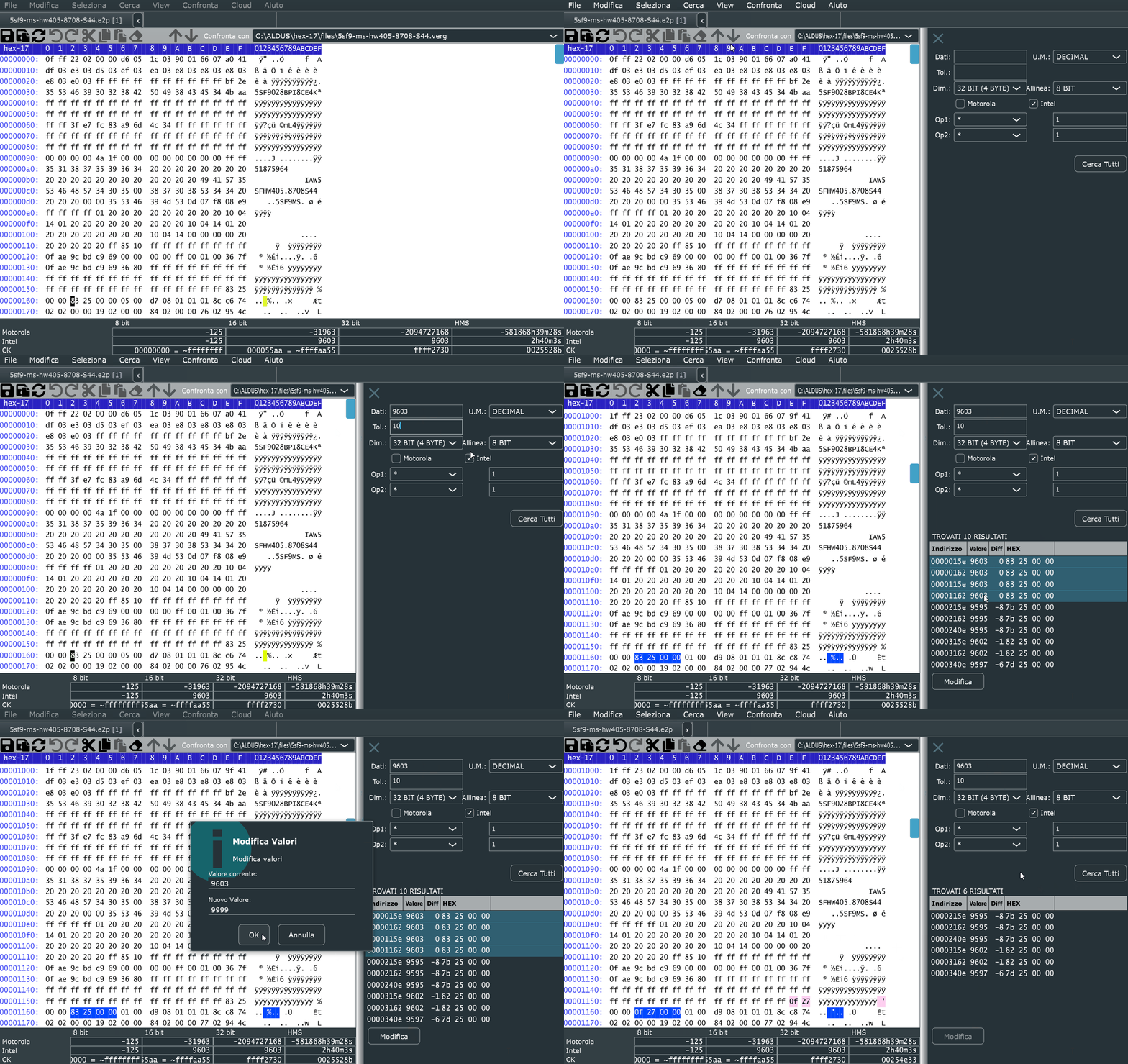
Value Search
Find odometric data, operating hours, counters etc.
- Byte order
- Depending on the processor type we can choose the format type (example intel/motorola)
- Numbers and multiples
- Easy to trace back to values with multipliers, during editing the calculation is automatic
- Tolerance
- We can set an approximate value range to find the data
- Multiple editingPro
- Once we find the data we can choose one or more data to modify at once
Alphanumeric data and similar
Ascii
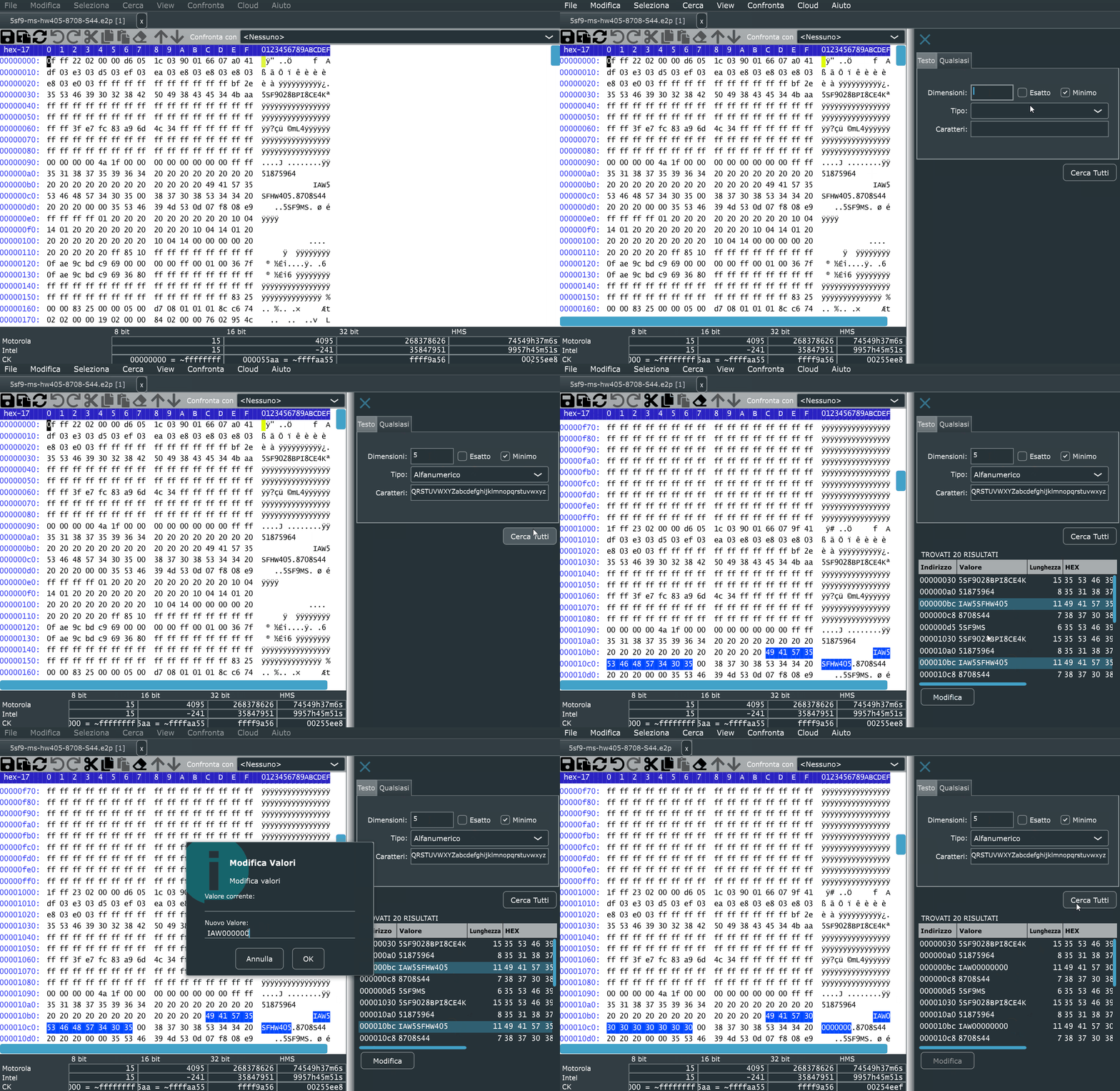
Search and edit strings numbers chassis etc.
- Search and edit a stringPro
- We can search for a defined string and modify it, even if it is repeated multiple times in the file
- String search
- We can find numbers or strings in Ascii with certain characteristics without knowing their value
Reuse and strategies
SettingsPro
Set up modifications and save them to a settings file
- Byte Sequence
- We register a byte sequence to apply as a setting
- Fill
- Fill an area with a byte pattern or for example ff or 00
- Search and replace
- Set up a sequence to replace with another sequence even if it's not fixed in a position
- Numerical values
- Store the positions of KM, hours, counters, etc.
- Checksum
- Create checksum zones to calculate automatically

Calculate checksums on any ECU's EEPROM
ChecksumPro
Supported various most common checksum types
- Advanced analysis tool
- Explore the EEPROM zones and find yourself where the zones are
- Checksum recalculation
- By saving checksums as settings we can apply them to any other file of the same type.
- Supported formats
- Supported checksums for Marelli, Bosch EDC16, Bosch EDC17, Bosch ME7, BSI etc. ECUs.
